AI as a Creative Assistant
This page explores optional ways to use AI tools alongside the Book Crafters programme. Every suggestion is just that: optional. Teachers and pupils choose when and how - or whether to involve AI at all, ensuring the project remains a genuine expression of each child's unique voice.
Enhancing Creativity, Never Replacing It
At Book Crafters, we believe children should be the authors, illustrators, and creators of their own stories. Artificial intelligence can play a helpful supporting role - like a friendly assistant who offers suggestions, formats work, or provides inspiration, but the creativity, the decisions, and the final work always belong to the child.
Guiding Principles
Before exploring the tools, it's worth setting some ground rules.
Our AI Promise
In Book Crafters, AI is always:
- Optional: No child is ever required to use AI.
- Assistive: AI suggests, formats, and inspires - but never creates in place of the child.
- Attributed: If AI helps with formatting or generates an inspirational image, children learn to acknowledge that support.
- Transparent: Teachers and parents are always aware of how AI is being used.
The heart of the project remains the same: children telling their own stories,
in their own voices, with their own creativity.
AI for Writing Support
Helping children shape their ideas without writing for them.
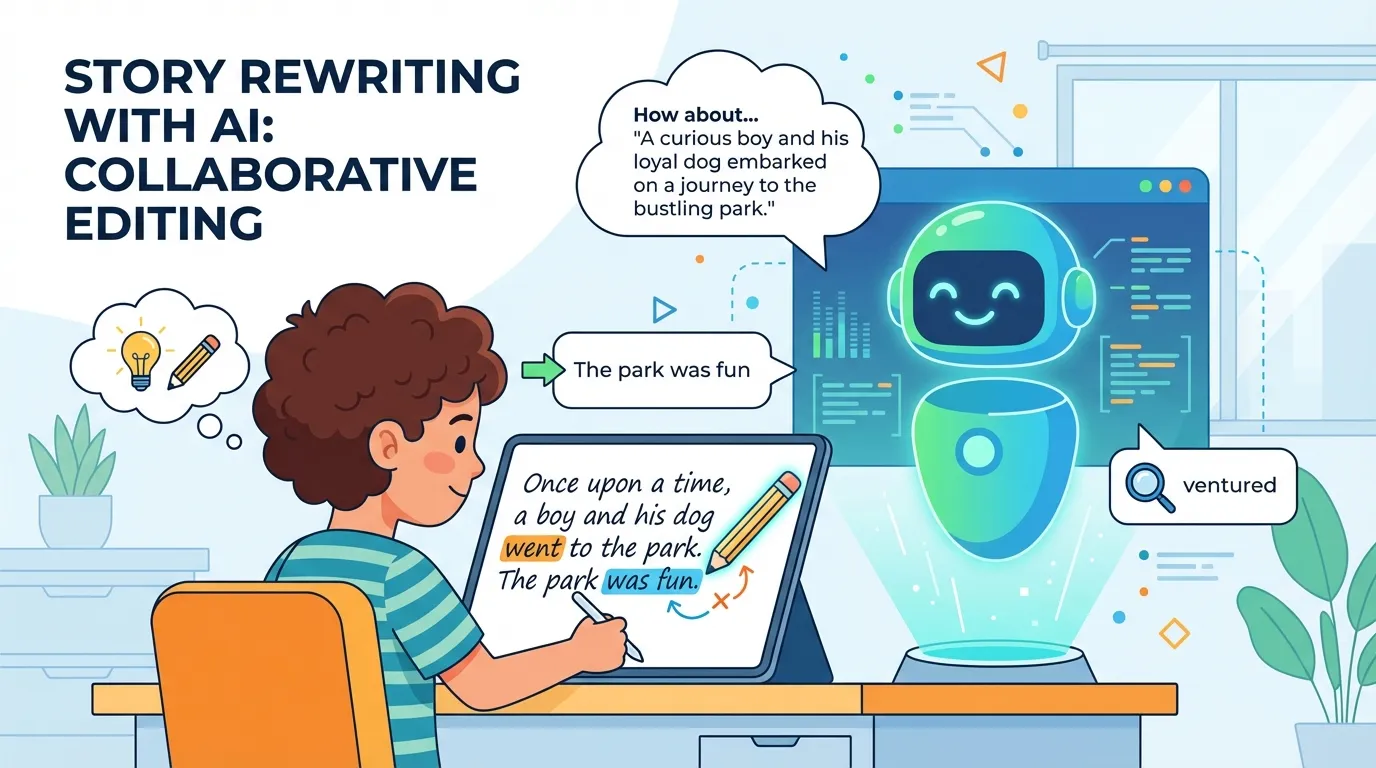
Pupils can use AI to generate a version of a public domain classic (like a fairy tale) written in a different style, era, or from a different character’s perspective. This serves as a springboard for their own adaptation.
Example: “Rewrite the story of Little Red Riding Hood from the wolf’s perspective, in the style of a detective noir film.”
The AI produces a draft that pupils then rewrite, edit, and make their own. They add their own dialogue, change the ending, invent new characters, and inject their own voice. The AI provides a starting point; the child does the real writing.
Recommended Tools: ChatGPT, Claude, Microsoft Copilot
How It Supports Learning:
Demonstrates how stories can be adapted and reimagined.
Provides a scaffold for pupils who struggle with a blank page.
Encourages critical thinking: pupils evaluate the AI’s suggestions and decide what to keep, change, or discard.
Pupils write their own stories and dialogue. AI can help format that work into specific structures needed for the final digital book—such as script format for narration or scene-by-scene breakdowns.
Example: A pupil writes a story with dialogue. AI can help convert it into a script format with character names, scene headings, and line breaks—ready for recording narration.
How It Supports Learning:
Saves time on formatting, allowing focus on creative writing.
Teaches pupils about different text structures (narrative vs. script).
Pupils remain the authors—AI simply arranges their words.
Pupils can write dialogue and then ask AI for suggestions to make it sound more natural, more dramatic, or more suited to a character’s personality. Crucially, pupils decide whether to accept the suggestions and always keep their original version if they prefer it.
Example: “I’ve written this dialogue between a nervous rabbit and a brave fox. Can you suggest ways to make the rabbit sound more nervous?”
How It Supports Learning:
Develops understanding of character voice and tone.
Builds editing and revision skills.
Pupils retain full control over their work.
AI for Character & Scene Development
Bringing imagination into sharper focus.
Pupils can describe their characters or settings to an AI image generator to create visual inspiration. These images act as reference points—not final artwork—helping pupils imagine how their characters might look, how a setting might feel, or what colours and shapes to use.
Example: “Create an image of a kind-hearted dragon who lives in a library built inside a hollowed-out mountain.”
The AI generates an image. The pupil then uses it as inspiration to draw their own version, adding their own details, style, and personality. The AI image is a starting point; the child’s illustration is the real creation.
Recommended Tools: DALL·E, Adobe Firefly, Canva AI
How It Supports Learning:
Helps pupils visualise abstract ideas.
Provides inspiration for reluctant illustrators.
Encourages discussion about style, mood, and composition.
Pupils can use AI to generate rich descriptive language for settings or characters—but only after they have written their own description. They can compare their version with AI suggestions, discuss which is more effective, and borrow techniques to improve their own writing.
Example: A pupil writes: “The forest was dark and scary.” AI might suggest: “The ancient forest stood in shadow, its gnarled branches clawing at the sky like desperate fingers.”
The pupil then rewrites their own version, incorporating techniques they’ve learned (similes, personification, vocabulary choices).
How It Supports Learning:
Explicitly teaches descriptive techniques.
Builds vocabulary and figurative language skills.
Pupils remain in control of their own writing.
AI for Illustration Enhancement
Supporting artistic expression without replacing it.
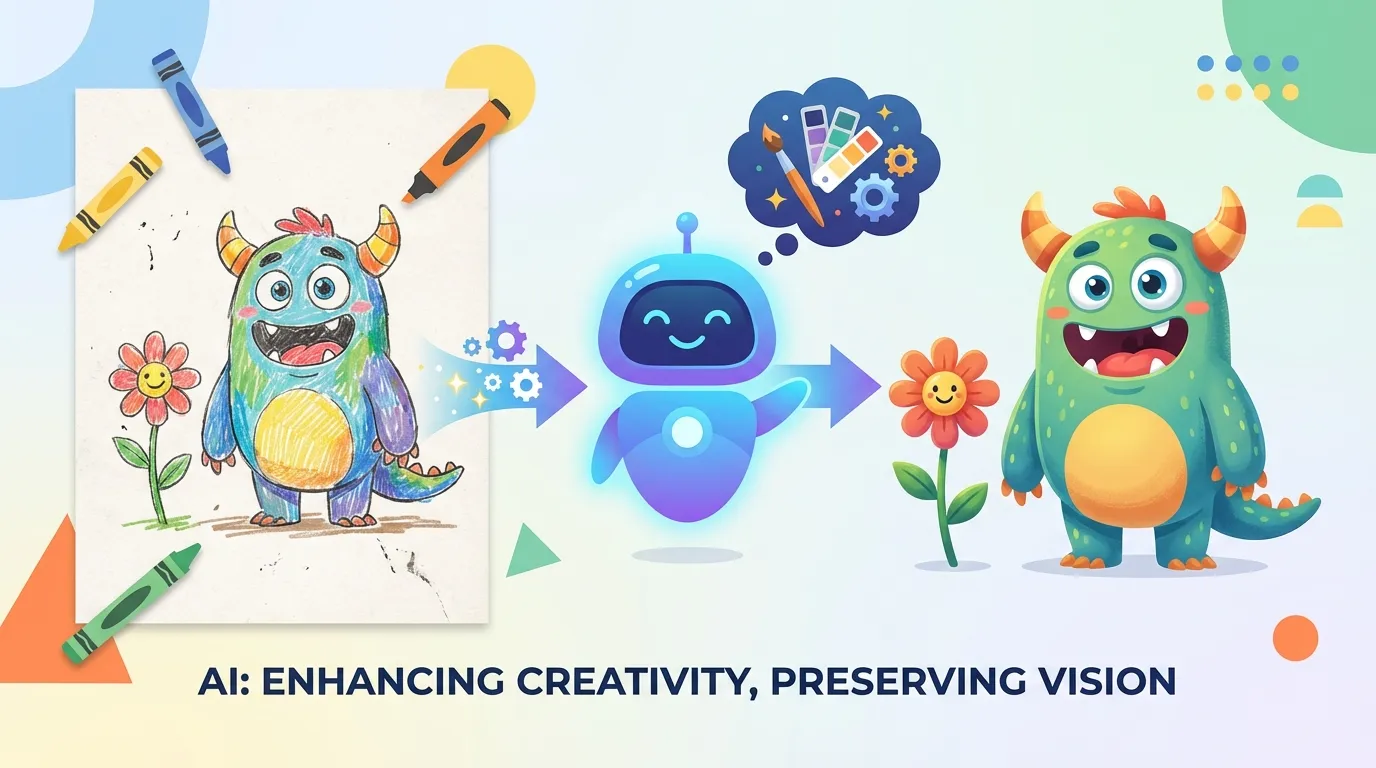
Pupils create their own illustrations by hand – pencils, paints, crayons, whatever they choose. They can then scan their artwork and use AI image tools to:
Clean up: Remove smudges, straighten lines, or adjust brightness.
Enhance: Add texture, depth, or subtle colour refinements.
Restyle: See their drawing reinterpreted in different artistic styles (watercolour, charcoal, digital art, classic illustration).
Crucially, the original artwork remains the child’s creation. The AI version is an alternative or enhancement – like seeing their drawing in a different light. Pupils decide whether to use the AI-enhanced version, the original, or both side by side.
Example: A pupil draws a castle in pencil. AI can generate a version in a medieval manuscript style, or add atmospheric lighting and shadow.
How It Supports Learning:
Celebrates and elevates pupil artwork.
Introduces concepts of digital editing and style.
Pupils make aesthetic decisions about their work.
Pupils can explore different artistic styles by asking AI to reinterpret their illustrations. This helps them understand concepts like mood, tone, and genre – and decide which style best fits their story.
Example: “My story is a mystery. Can you show me what my illustration would look like in the style of a film noir poster ?”
How It Supports Learning:
Develops visual literacy and critical analysis.
Encourages discussion about how style communicates mood.
Pupils remain the original creators.
AI for Sound Effects & Audio
Bringing imagination into sharper focus.
Pupils can describe a scene to AI and ask for suggestions about what sound effects would bring it to life. AI might suggest:
“Crunching leaves for a forest scene.”
“A heartbeat sound for a tense moment.”
“Bubbling water for a magical fountain.”
How It Supports Learning:
Develops understanding of how sound creates atmosphere.
Sparks ideas for creative sound-making.
Here’s the important part: pupils create the sound effects themselves. AI suggests ideas; children make them real.
Examples:
Crunching leaves: Crumple paper or celery.
Footsteps: Walk on gravel, or tap fingers on a desk.
Rain: Shake a container of dried rice.
Thunder: Shake a large sheet of card.
Heartbeat: Thump a cushion gently.
Pupils record their handmade sounds using Audacity, layering them into their audiobook narrations. The result is original, creative, and entirely their own.
How It Supports Learning:
Develops creativity and problem-solving.
Connects to science (sound, materials, acoustics).
Builds technical skills in audio editing.
Pupils can use AI text-to-speech tools to hear how their narration might sound – listening for pacing, emphasis, and emotion. They then record their own voices, using the AI version as a practice guide, not a replacement.
Example: A pupil writes a dramatic scene. AI reads it aloud. The pupil discusses: “Where should I pause? Which words should I emphasise?” Then they record their own performance.
Recommended Tools: NaturalReader, Microsoft Edge Read Aloud
How It Supports Learning:
Develops oracy and performance skills.
Builds understanding of pacing and expression.
Pupils retain full ownership of their recorded narration.
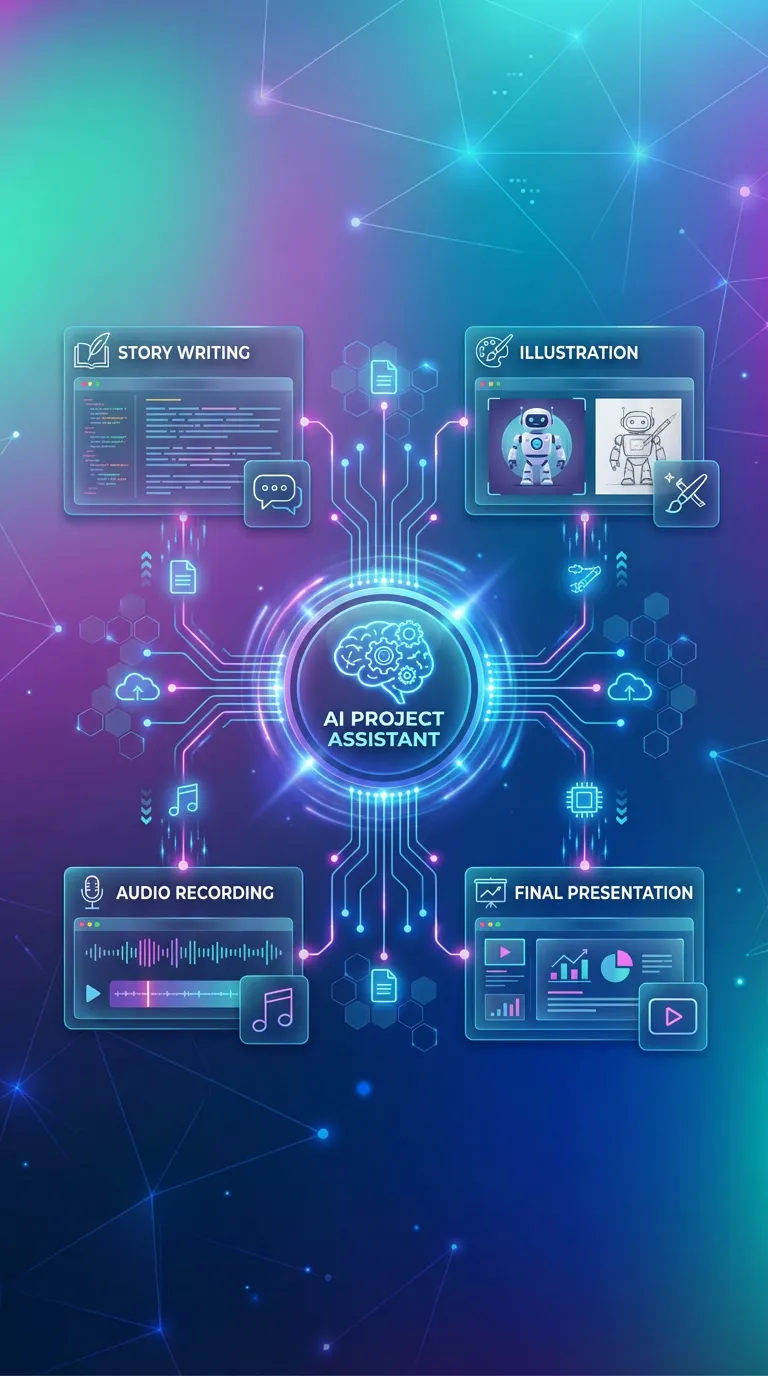
AI for Teachers
Supporting educators to deliver the project more effectively.
Differentiated Resources
Teachers can use AI to quickly generate differentiated versions of worksheets, task cards, or writing prompts – ensuring all pupils can access the material at their level.
Example: “Create three versions of this character description task: one for emerging writers (sentence starters), one for developing writers (word bank), and one for confident writers (open-ended challenge).”
Assessment Support
AI can help teachers generate pupil feedback comments, identify patterns in writing samples, or create rubrics aligned with specific learning objectives. The teacher always reviews and adapts the output.
Lesson Planning Ideas
Stuck for a creative angle ? Teachers can ask AI for suggestions to extend or adapt lessons – new warm-up activities, alternative groupings, or cross-curricular connections.
Ethical Use & Digital Citizenship
Book Crafters includes lessons on using AI ethically as part of our digital citizenship strand.
These lessons align with the UK Council for Internet Safety (UKCIS) Education for a Connected World framework, specifically strands on Self-Image and Identity, Online Reputation, and Copyright and Ownership.
Attribution
If AI helps with formatting or inspiration, we acknowledge it.
Originality
AI is a tool, not a creator. The child's voice is what matters.
Critical Thinking
AI can make mistakes or offer suggestions that don't fit. Pupils learn to evaluate, question, and decide for themselves.
Privacy
Never share personal information with AI tools. Use school-managed accounts where possible.
| Area | AI Role | Child's Role |
|---|---|---|
|
Writing |
Formats scripts, suggests vocabulary, offers adaptations. |
Writes, edits, evaluates, decides. |
|
Characters & Scenes |
Generates inspirational images and descriptive suggestions. |
Creates original characters, writes descriptions, draws final illustrations. |
|
Illustrations |
Enhances scans, explores styles, suggests compositions. |
Draws, paints, creates original artwork. |
|
Sound Effects |
Suggests sound ideas. |
Creates, records, and edits real sounds by hand. |
|
Narration |
Reads aloud for practice. |
Performs, records, and edits their own voice. |
Getting Started with AI in Book Crafters
Ready to explore? Here's how to begin.
Tip 1
Start Small: Choose one area to try – perhaps AI-generated inspirational images for character design, or AI formatting for scripts.
Tip 2
Set Clear Boundaries: Discuss with pupils when and how AI will be used. Emphasise that they remain the creators.
Tip 3
Use School-Managed Accounts: Where possible, use AI tools through school accounts to ensure privacy and safety.
Tip 4
Reflect Together: After using AI, ask pupils: “Did it help ? Did you keep all your own ideas ? How did you make it your own ?”
Tip 5
Share with Parents: Let families know how AI is being used as an optional assistant, reinforcing that the creativity remains with their child.
